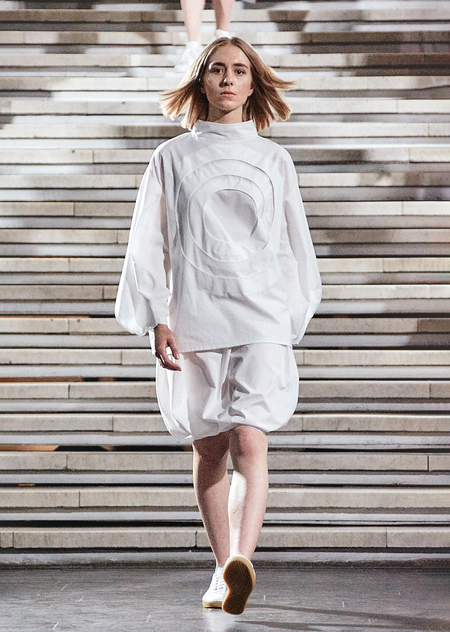
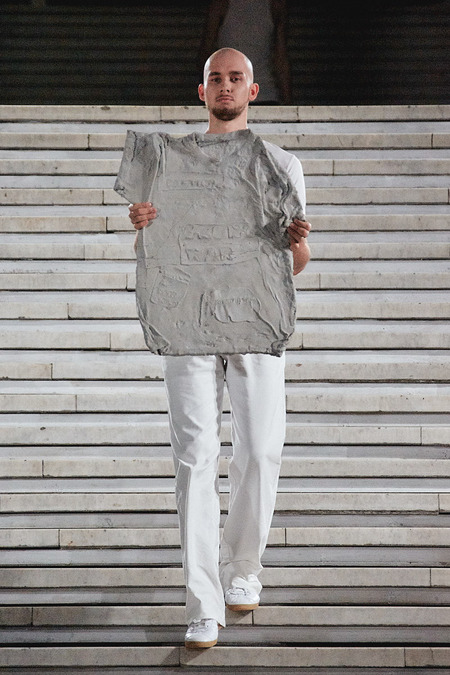
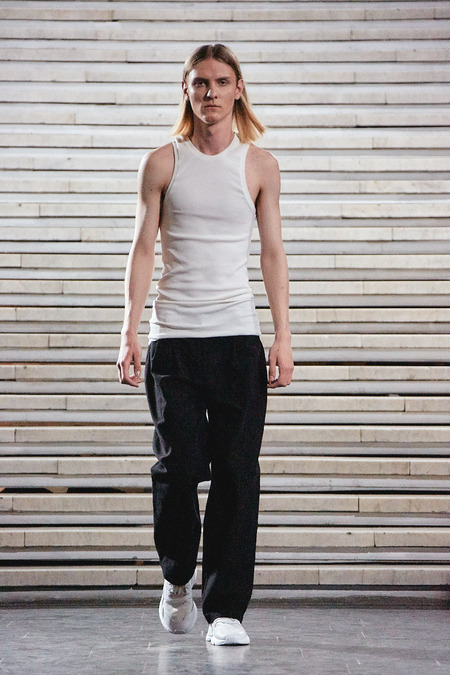
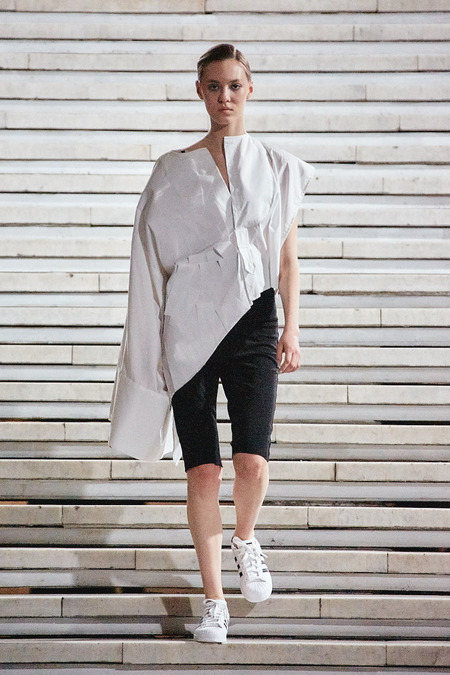
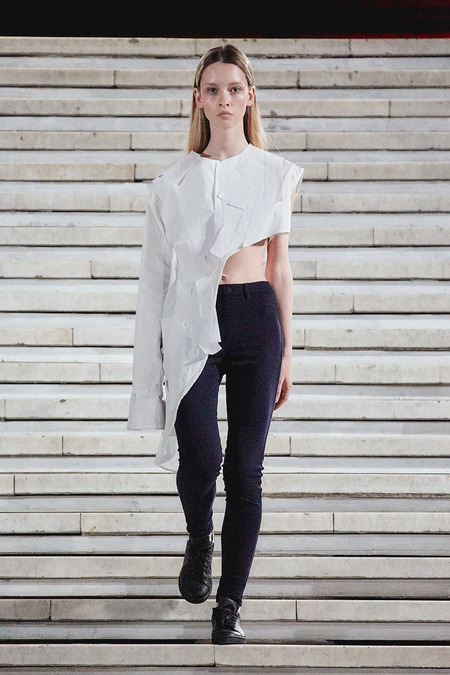
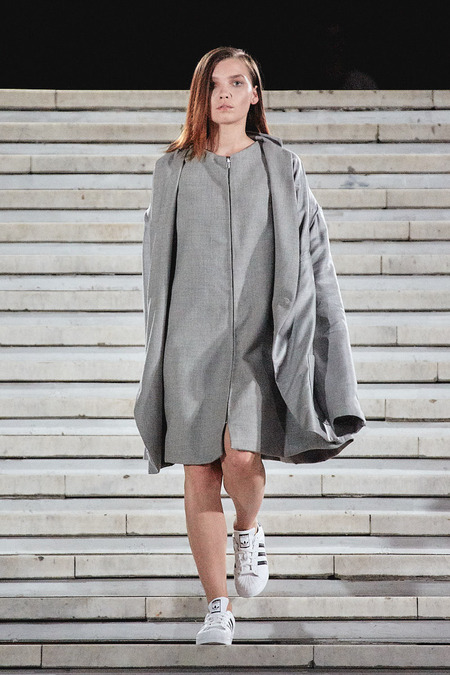
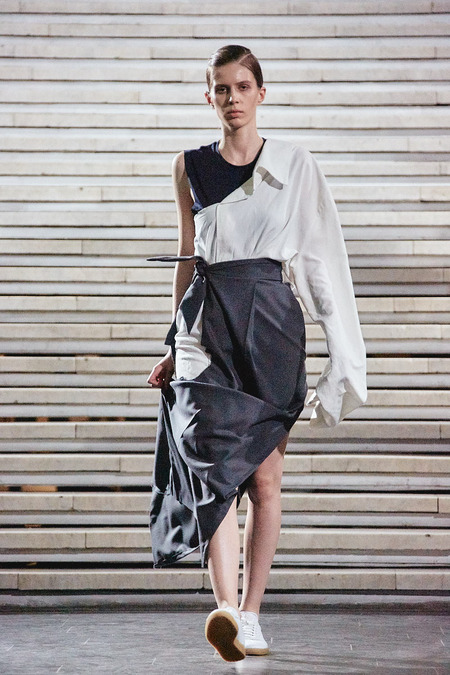
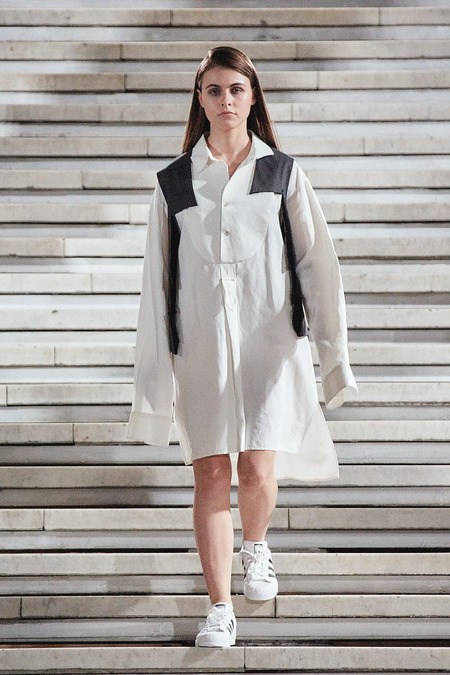
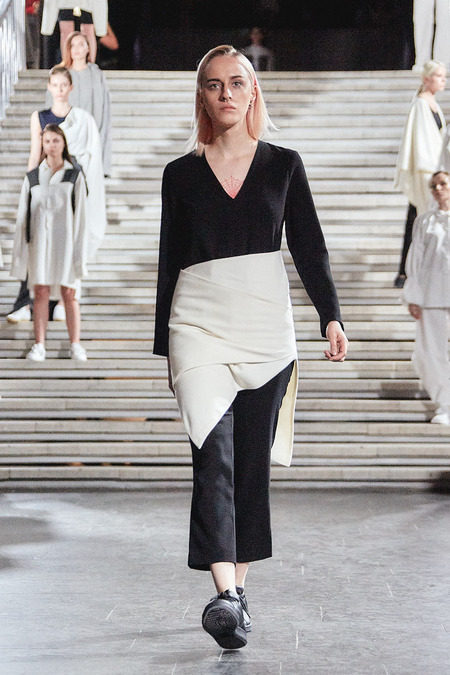
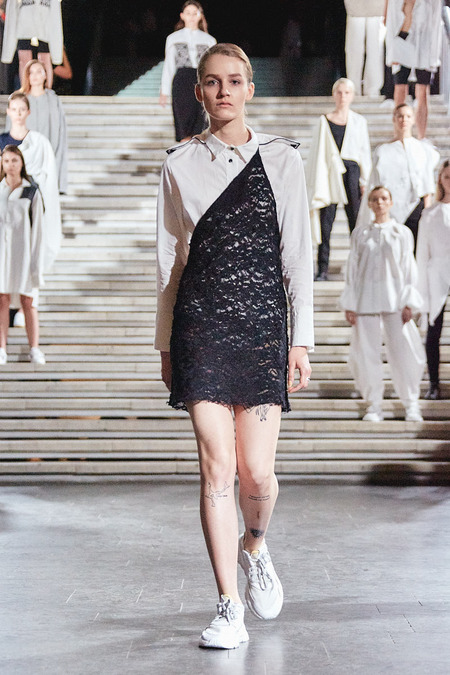
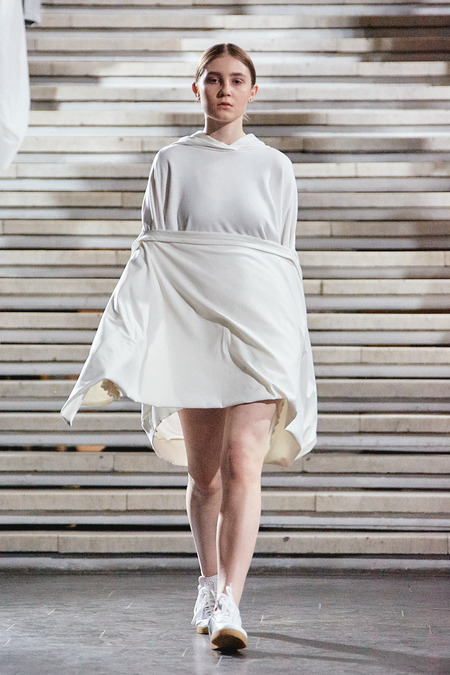
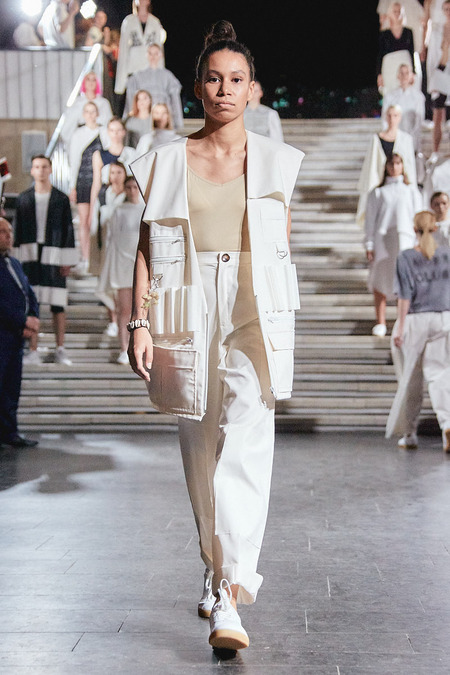
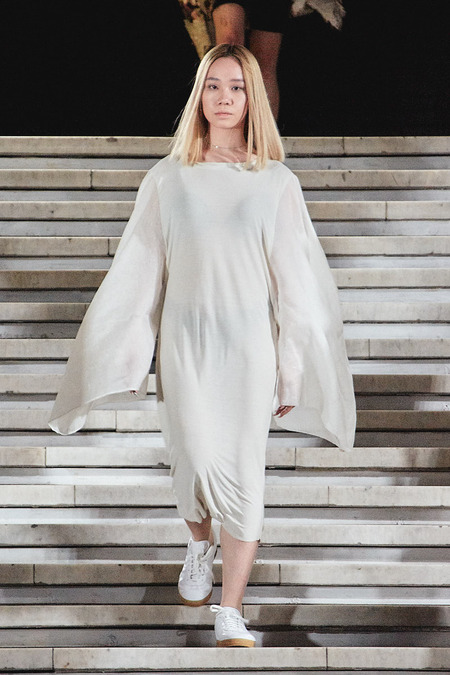
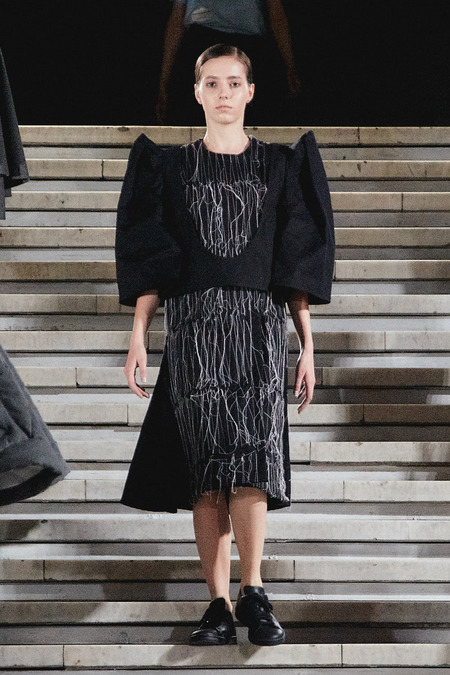
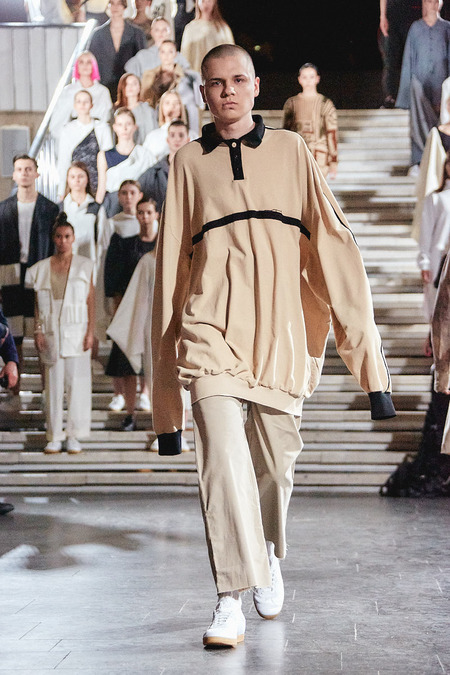
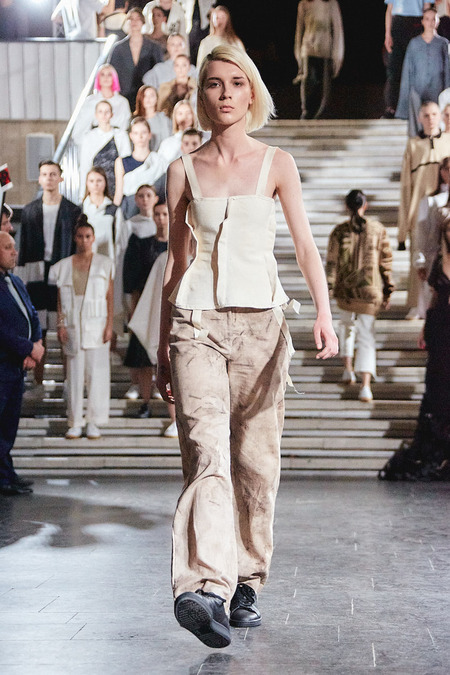
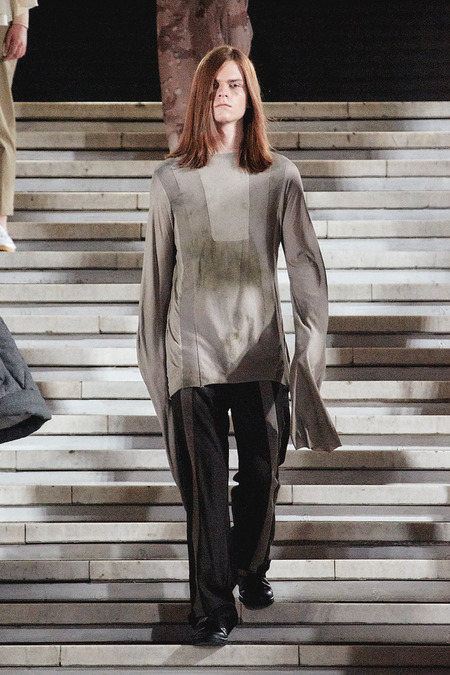
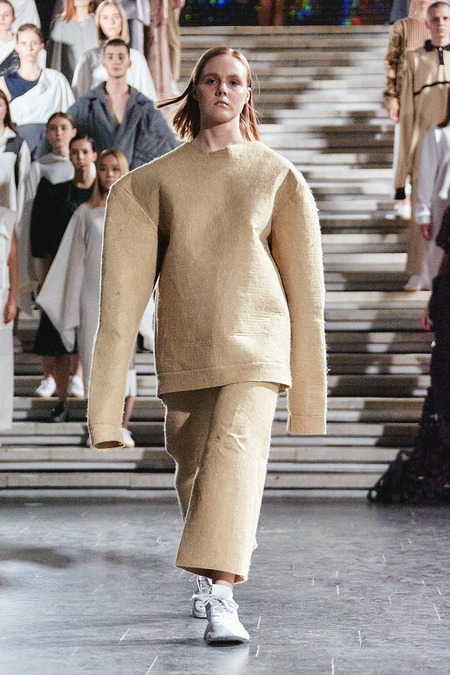
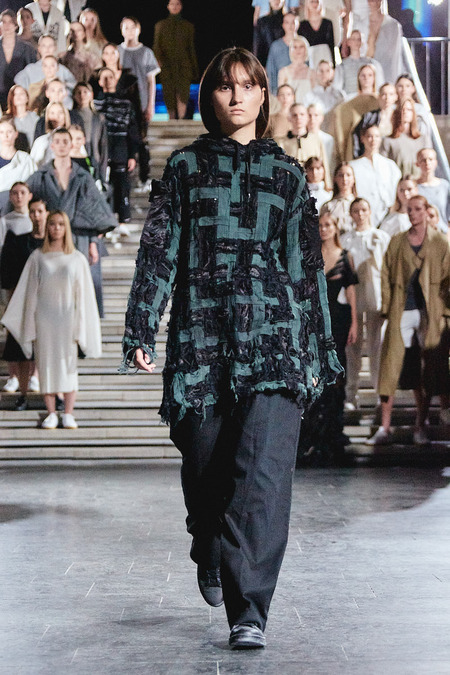
В мае 2019 года программа «Мода» Школы дизайна НИУ ВШЭ по приглашению Третьяковской галереи организовала показ в рамках акции «Ночь в музее». Студенты и кураторы направления «Мода» провели масштабный показ лучших студенческих работ.
В показе приняли участие больше ста моделей и около 120 вещей, созданных молодыми дизайнерами — студентами Школы дизайна. Показ прошел в сопровождении видеоинсталляции креативного агентства «Сила света».
«Ночь в музее». Показ в Третьяковской галерее. 18.05.2019
HSE Fashion организовал показ студенческих работ в Третьяковской галерее 18 мая 2019 года. Показ включал более 120 вещей, созданных студентами Школы дизайна НИУ ВШЭ, и сопровождался видеоинсталляцией агентства «Сила света».
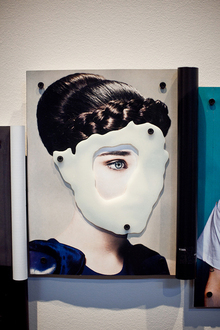
Hse Fashion Archive подготовил подборку выставок с участием российских дизайнеров, которые предлагают нестандартный подход к презентации моды через арт и исследования. Особенностью проекта является акцент на ретроспективных и экспериментальных форматах, таких как выставка «Dysfashional», где вместо традиционных показов использовались художественные инсталляции.
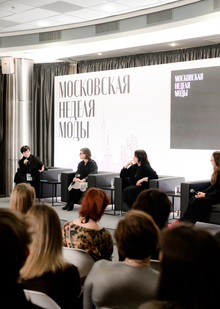
Hse Fashion Archive подготовил паблик-ток на Московской неделе моды, посвящённый вопросам создания архива российской моды и его значению для индустрии. Проект включает интервью с ключевыми фигурами модной сцены и обсуждение сохранения истории моды, включая цифровую архивацию и региональные аспекты.
Интервью с Ольгой Михайловской рассказывает о её карьере в фэшн-журналистике и работе в 1990-е годы. Проект включает личные истории, встречи с дизайнерами и описание ключевых событий модной индустрии России.
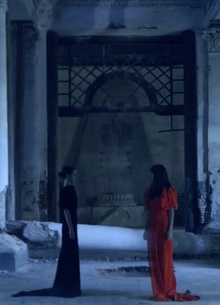
Проект «Архив российской моды» подготовил расшифровку дискуссии о роли фэшн-фильмов в моде и кино, прошедшей в Музее Москвы 1 февраля 2024 года. В мероприятии участвовали эксперты, обсудившие историю, жанры и будущее фэшн-фильмов, а также показали работы брендов Tegin, Inshade и Дарьи Лукаш.
start.hsedesign
The HSE Art and Design School spans 4 campuses, offering 9 bachelor's programs and approximately 40 specialized tracks. To apply, you must not only submit your documents on time but also upload your creative project—if required by your chosen program.
We use cookies to improve the operation of the HSE website and to enhance its usability. More detailed information on the use of cookies can be fou...
Show more
Press space bar to start a drag.
When dragging you can use the arrow keys to move the item around and escape to cancel.
Some screen readers may require you to be in focus mode or to use your pass through key
Press space bar to start a drag.
When dragging you can use the arrow keys to move the item around and escape to cancel.
Some screen readers may require you to be in focus mode or to use your pass through key
Press space bar to start a drag.
When dragging you can use the arrow keys to move the item around and escape to cancel.
Some screen readers may require you to be in focus mode or to use your pass through key
Press space bar to start a drag.
When dragging you can use the arrow keys to move the item around and escape to cancel.
Some screen readers may require you to be in focus mode or to use your pass through key
Press space bar to start a drag.
When dragging you can use the arrow keys to move the item around and escape to cancel.
Some screen readers may require you to be in focus mode or to use your pass through key
Press space bar to start a drag.
When dragging you can use the arrow keys to move the item around and escape to cancel.
Some screen readers may require you to be in focus mode or to use your pass through key
Press space bar to start a drag.
When dragging you can use the arrow keys to move the item around and escape to cancel.
Some screen readers may require you to be in focus mode or to use your pass through key
Press space bar to start a drag.
When dragging you can use the arrow keys to move the item around and escape to cancel.
Some screen readers may require you to be in focus mode or to use your pass through key
Press space bar to start a drag.
When dragging you can use the arrow keys to move the item around and escape to cancel.
Some screen readers may require you to be in focus mode or to use your pass through key
Press space bar to start a drag.
When dragging you can use the arrow keys to move the item around and escape to cancel.
Some screen readers may require you to be in focus mode or to use your pass through key
Press space bar to start a drag.
When dragging you can use the arrow keys to move the item around and escape to cancel.
Some screen readers may require you to be in focus mode or to use your pass through key
Press space bar to start a drag.
When dragging you can use the arrow keys to move the item around and escape to cancel.
Some screen readers may require you to be in focus mode or to use your pass through key
Press space bar to start a drag.
When dragging you can use the arrow keys to move the item around and escape to cancel.
Some screen readers may require you to be in focus mode or to use your pass through key
Press space bar to start a drag.
When dragging you can use the arrow keys to move the item around and escape to cancel.
Some screen readers may require you to be in focus mode or to use your pass through key
Press space bar to start a drag.
When dragging you can use the arrow keys to move the item around and escape to cancel.
Some screen readers may require you to be in focus mode or to use your pass through key
Press space bar to start a drag.
When dragging you can use the arrow keys to move the item around and escape to cancel.
Some screen readers may require you to be in focus mode or to use your pass through key
Press space bar to start a drag.
When dragging you can use the arrow keys to move the item around and escape to cancel.
Some screen readers may require you to be in focus mode or to use your pass through key
Press space bar to start a drag.
When dragging you can use the arrow keys to move the item around and escape to cancel.
Some screen readers may require you to be in focus mode or to use your pass through key
Press space bar to start a drag.
When dragging you can use the arrow keys to move the item around and escape to cancel.
Some screen readers may require you to be in focus mode or to use your pass through key
Press space bar to start a drag.
When dragging you can use the arrow keys to move the item around and escape to cancel.
Some screen readers may require you to be in focus mode or to use your pass through key
Press space bar to start a drag.
When dragging you can use the arrow keys to move the item around and escape to cancel.
Some screen readers may require you to be in focus mode or to use your pass through key
Press space bar to start a drag.
When dragging you can use the arrow keys to move the item around and escape to cancel.
Some screen readers may require you to be in focus mode or to use your pass through key
Press space bar to start a drag.
When dragging you can use the arrow keys to move the item around and escape to cancel.
Some screen readers may require you to be in focus mode or to use your pass through key
Press space bar to start a drag.
When dragging you can use the arrow keys to move the item around and escape to cancel.
Some screen readers may require you to be in focus mode or to use your pass through key
Press space bar to start a drag.
When dragging you can use the arrow keys to move the item around and escape to cancel.
Some screen readers may require you to be in focus mode or to use your pass through key
Press space bar to start a drag.
When dragging you can use the arrow keys to move the item around and escape to cancel.
Some screen readers may require you to be in focus mode or to use your pass through key
Press space bar to start a drag.
When dragging you can use the arrow keys to move the item around and escape to cancel.
Some screen readers may require you to be in focus mode or to use your pass through key