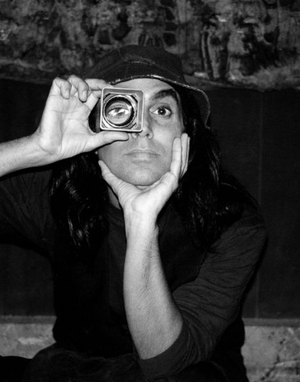
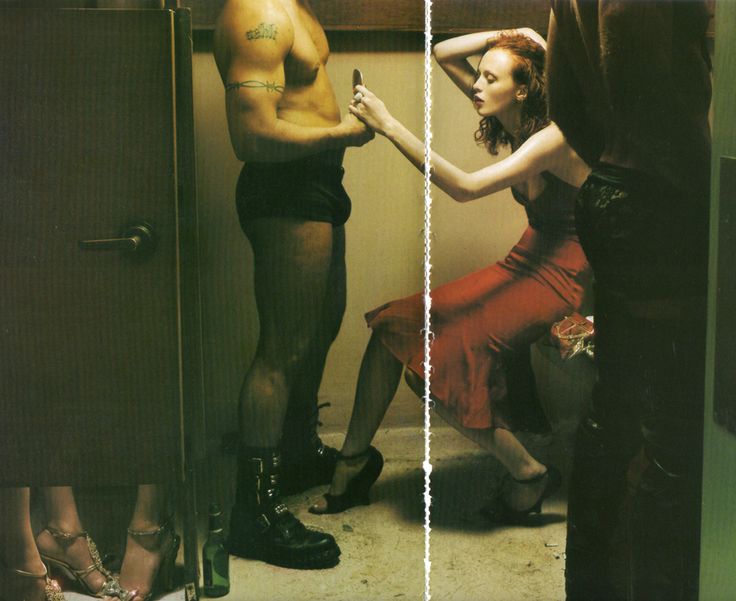
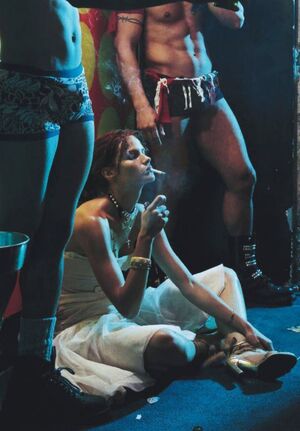
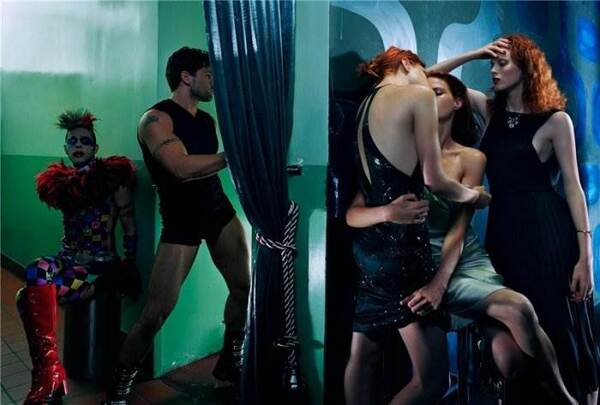
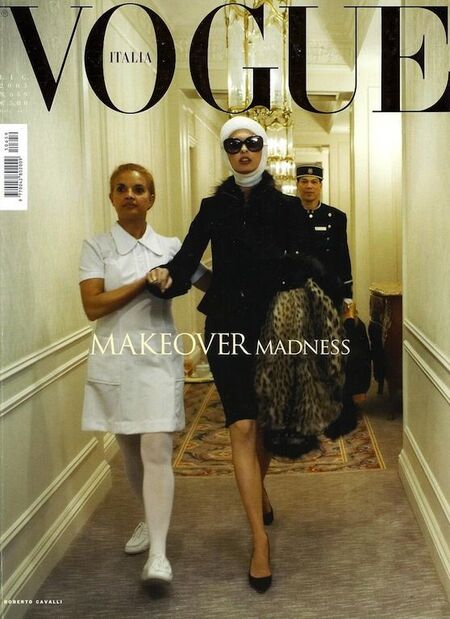
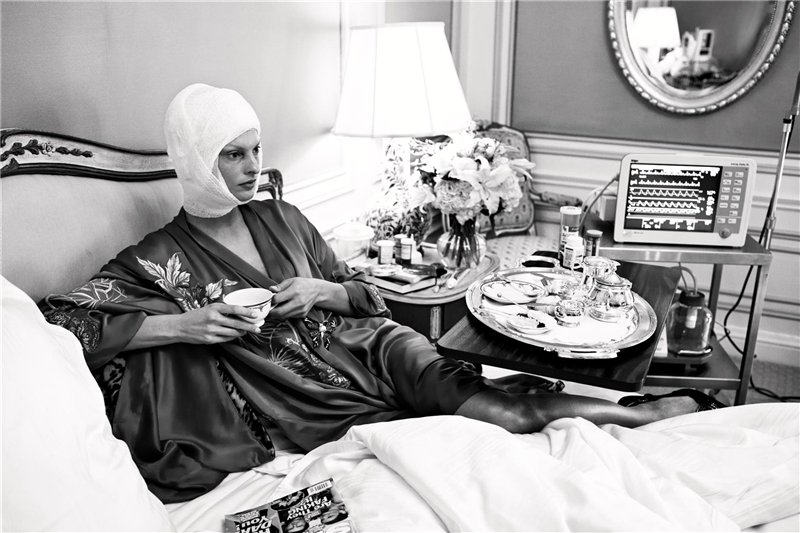
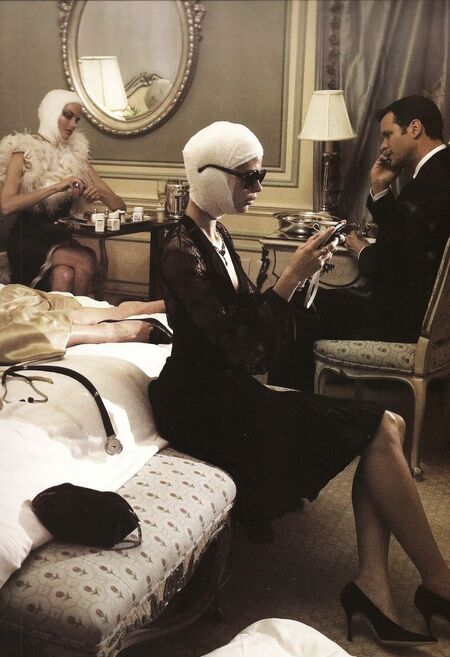
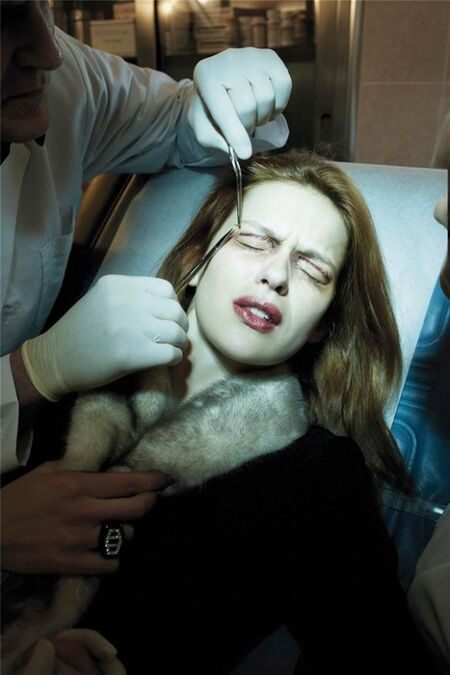
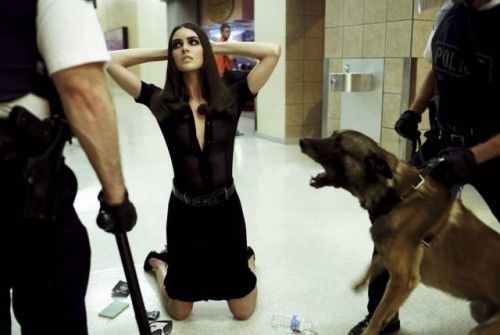
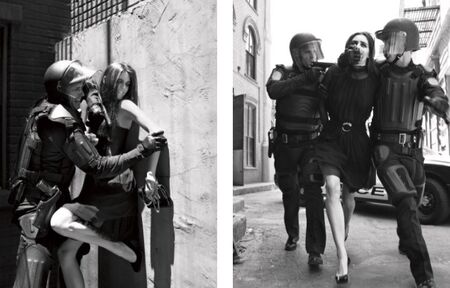
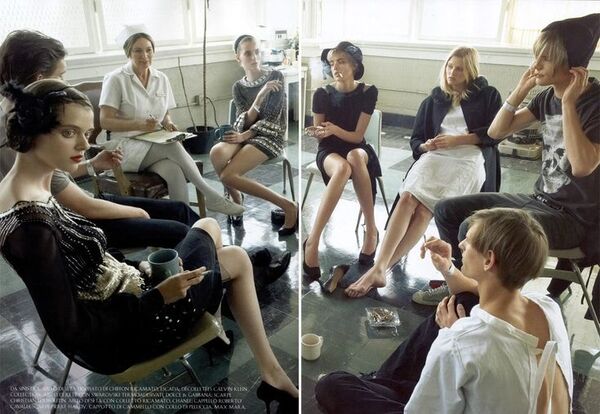
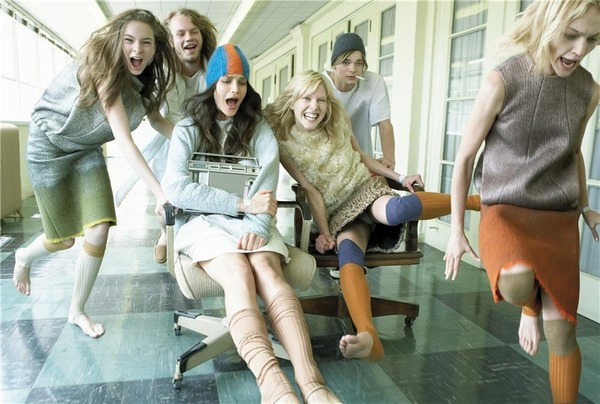
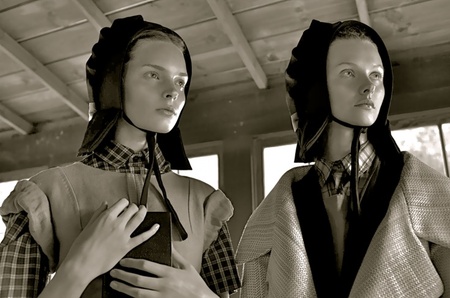
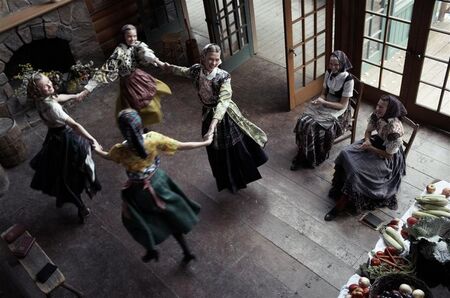
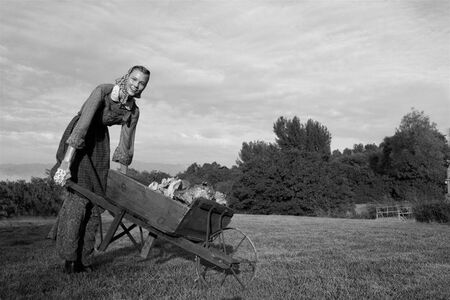
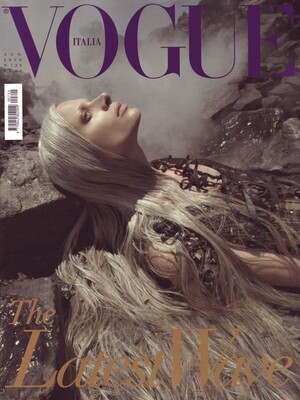
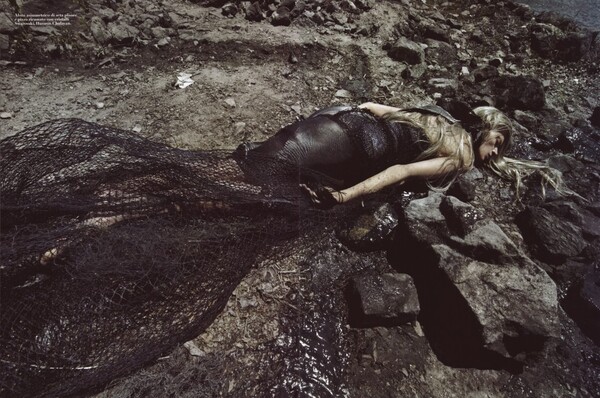
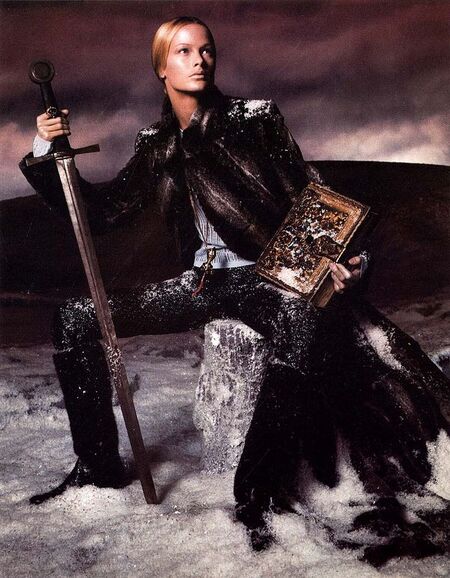
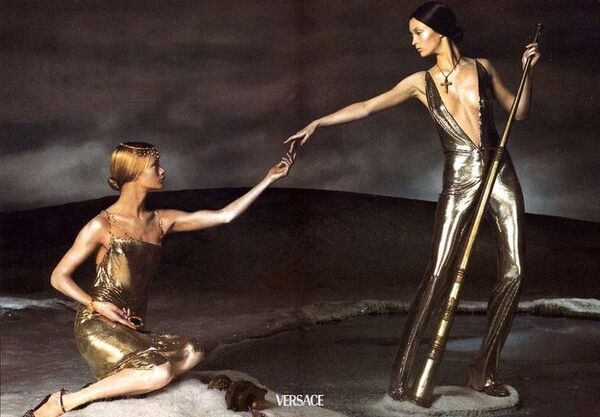
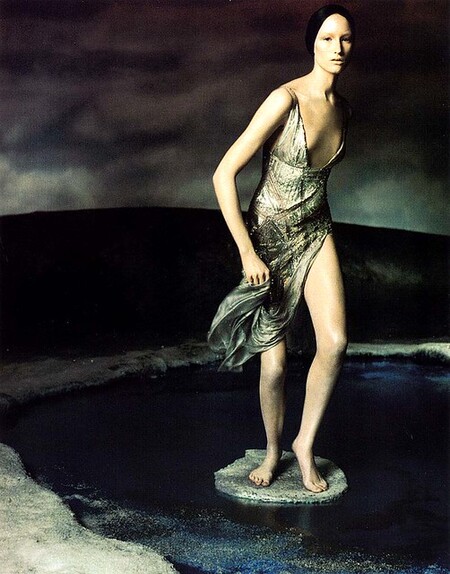
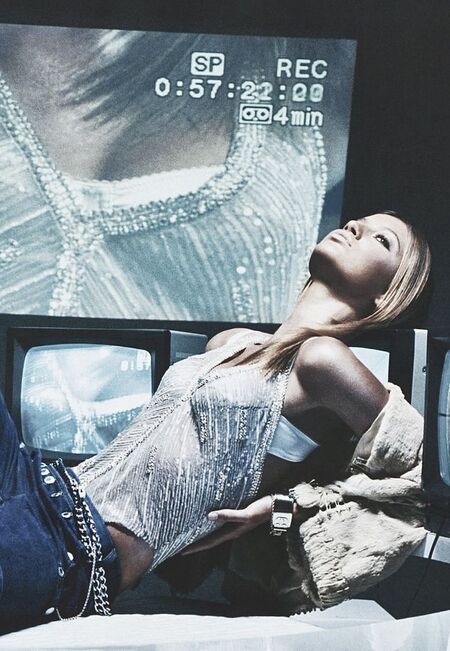
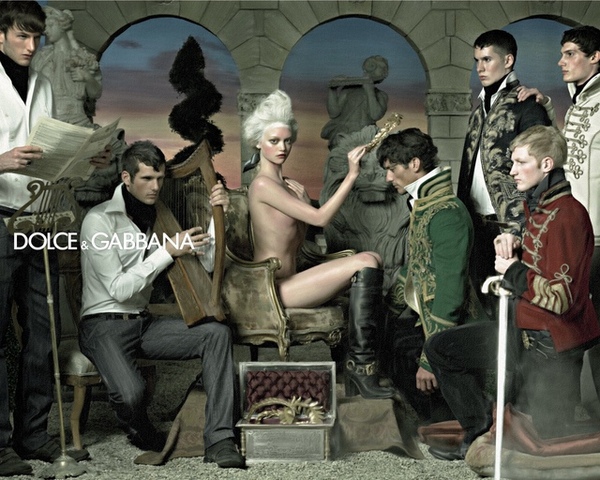
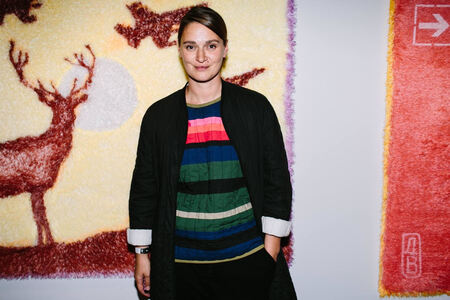
Стивен Майзель — американский фэшн-фотограф, работающий с 1980-х гг. по наши дни. Среди его работ — съемки для американского, британского и итальянского Vogue (ему принадлежит наибольшее количество обложек для журнала), Prada, Versace и Dolce & Gabbana.
Особенно выразительными считаются те его фотографии, на которых в композиции участвует большое количество людей.
Оксана Зуева подготовила текст о творчестве Стивена Майзеля, американского фэшн-фотографа, известного съемками для Vogue и других модных брендов. Проект подчеркивает его особенность — создание композиций с большим количеством людей, обладающих нарративностью и психологической глубиной.
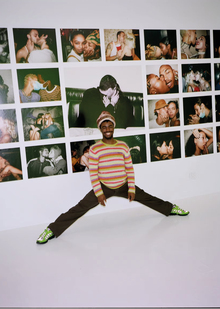
Мария Турчина создала текст о фотографе и режиссере Тайрелле Хэмптоне, описывающий его стиль и подход к работе. Проект включает в себя анализ его фотографий, акцентирующих яркие цвета, динамику и неожиданные ракурсы.
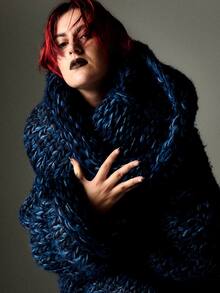
Анастасия Казакова создала текстовую справку о стилистической философии Сьюзан Коллер, включая её подход к образам и клиентов. Проект описывает уникальный стиль, основанный на минимализме, акцентных деталях и естественных позах моделей.
Вера Недыхалова создала описание фотографа Мел Блес, известной своими работами в портретной и рекламной фотографии. Проект включает в себя конкретные аспекты её стиля, такие как акцентный свет и ракурсы.
Автор статьи рассказывает о необходимости популяризации экологичной моды в фэшн-индустрии. Проект включает примеры переработки материалов, такие как Recycle Day и коллаборации с брендами вроде UNIQLO и H&M.
start.hsedesign
The HSE Art and Design School spans 4 campuses, offering 9 bachelor's programs and approximately 40 specialized tracks. To apply, you must not only submit your documents on time but also upload your creative project—if required by your chosen program.
We use cookies to improve the operation of the HSE website and to enhance its usability. More detailed information on the use of cookies can be fou...
Show more
Press space bar to start a drag.
When dragging you can use the arrow keys to move the item around and escape to cancel.
Some screen readers may require you to be in focus mode or to use your pass through key
Press space bar to start a drag.
When dragging you can use the arrow keys to move the item around and escape to cancel.
Some screen readers may require you to be in focus mode or to use your pass through key
Press space bar to start a drag.
When dragging you can use the arrow keys to move the item around and escape to cancel.
Some screen readers may require you to be in focus mode or to use your pass through key
Press space bar to start a drag.
When dragging you can use the arrow keys to move the item around and escape to cancel.
Some screen readers may require you to be in focus mode or to use your pass through key
Press space bar to start a drag.
When dragging you can use the arrow keys to move the item around and escape to cancel.
Some screen readers may require you to be in focus mode or to use your pass through key
Press space bar to start a drag.
When dragging you can use the arrow keys to move the item around and escape to cancel.
Some screen readers may require you to be in focus mode or to use your pass through key
Press space bar to start a drag.
When dragging you can use the arrow keys to move the item around and escape to cancel.
Some screen readers may require you to be in focus mode or to use your pass through key
Press space bar to start a drag.
When dragging you can use the arrow keys to move the item around and escape to cancel.
Some screen readers may require you to be in focus mode or to use your pass through key
Press space bar to start a drag.
When dragging you can use the arrow keys to move the item around and escape to cancel.
Some screen readers may require you to be in focus mode or to use your pass through key
Press space bar to start a drag.
When dragging you can use the arrow keys to move the item around and escape to cancel.
Some screen readers may require you to be in focus mode or to use your pass through key
Press space bar to start a drag.
When dragging you can use the arrow keys to move the item around and escape to cancel.
Some screen readers may require you to be in focus mode or to use your pass through key
Press space bar to start a drag.
When dragging you can use the arrow keys to move the item around and escape to cancel.
Some screen readers may require you to be in focus mode or to use your pass through key
Press space bar to start a drag.
When dragging you can use the arrow keys to move the item around and escape to cancel.
Some screen readers may require you to be in focus mode or to use your pass through key
Press space bar to start a drag.
When dragging you can use the arrow keys to move the item around and escape to cancel.
Some screen readers may require you to be in focus mode or to use your pass through key
Press space bar to start a drag.
When dragging you can use the arrow keys to move the item around and escape to cancel.
Some screen readers may require you to be in focus mode or to use your pass through key
Press space bar to start a drag.
When dragging you can use the arrow keys to move the item around and escape to cancel.
Some screen readers may require you to be in focus mode or to use your pass through key
Press space bar to start a drag.
When dragging you can use the arrow keys to move the item around and escape to cancel.
Some screen readers may require you to be in focus mode or to use your pass through key
Press space bar to start a drag.
When dragging you can use the arrow keys to move the item around and escape to cancel.
Some screen readers may require you to be in focus mode or to use your pass through key